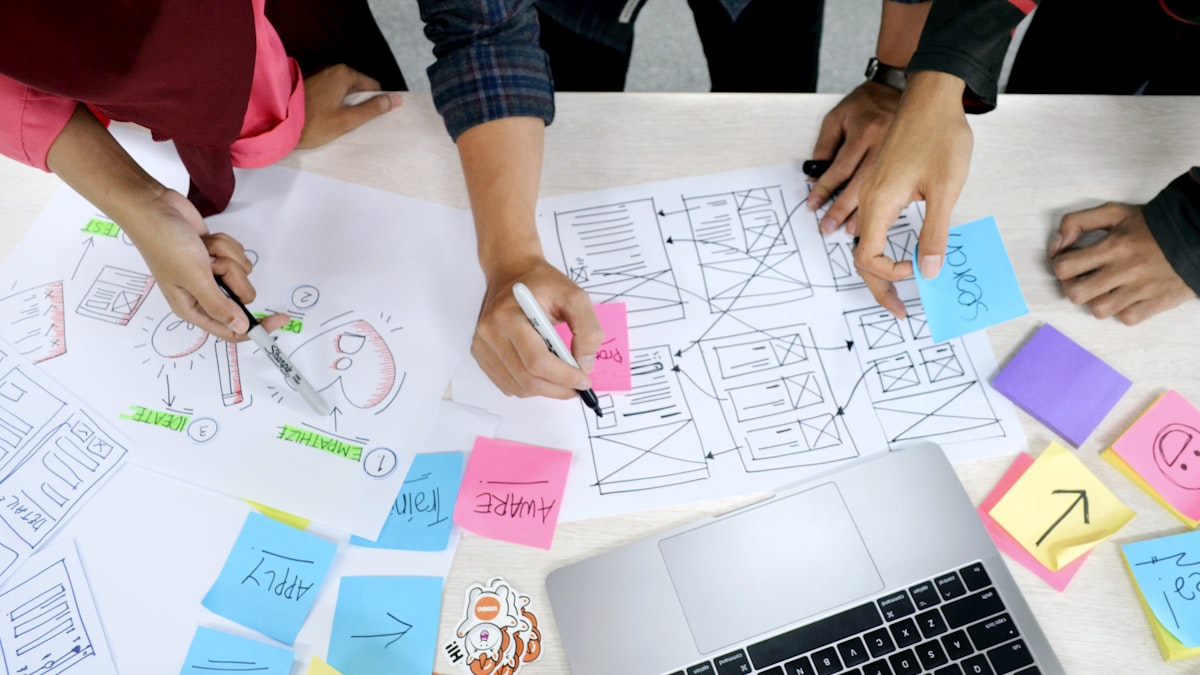
AI for design directors: sales decks, reports, and marketing assets
How a design director uses AI to produce sales decks, executive reports, and marketing assets at startup speed—design as a multiplier across business functions.
The conventional description of a design director’s output is product UI: Figma files, design systems, component libraries, user flows. That is accurate—but incomplete. And the incomplete version is how design ends up siloed while every other function works around it.
A design director’s actual surface area, especially at a startup, includes pitch decks that raise money, one-pagers that sales leaves after calls, landing pages that convert before engineering has time to build them, executive dashboards that frame the story of the business, and brand assets that flow through every marketing channel. None of these are “product UI.” All of them live or die on design quality. And most startups handle them badly—either starving them for design attention, or letting marketing and sales invent inconsistent visual systems that undercut the brand the product team built carefully.
AI changes this equation. Not by eliminating design judgment, but by eliminating the production hours that used to separate a design brief from a finished artifact. The model is not “AI does design.” It is “design director sets the system, AI does the production labor.”
The problem: design attention is finite, surfaces are not
At a ten-person startup with one design leader, the queue of design requests is always longer than the capacity to fulfill them. Product UI takes priority by default because it is the most visible, most measured, and most team-dependent output. Sales decks, investor updates, executive reports, marketing one-pagers—these land in a secondary pile. They get done eventually, by whoever is least busy, with whatever visual language they can approximate from the brand guide.
The result is a brand split: the product looks intentional and polished; everything around it looks improvised. Investors see a beautiful app demo followed by a slide deck that doesn’t feel like the same company. A potential enterprise customer sees a great landing page, then receives a sales deck with inconsistent typography. The design work is real; the surface area is too large for a single human to cover manually.
This is not a staffing problem—it is a systems problem. The solution is not hiring three more designers; it is building a workflow where the design system’s tokens and templates become the input layer for AI-assisted production, and the design director’s time shifts from production to direction and review.
How AI fits into the workflow: structure in, artifact out
The premise of AI-assisted design production is that structured inputs produce usable outputs. A prompt that says “make a sales deck” produces generic results. A prompt that supplies the brand token values, the product’s core narrative, the target audience, and a slide-by-slide structure produces a first draft that is 60–70% of the way to done.
The design system’s job is to make that input structure accessible and consistent. When semantic color tokens, typography scales, and layout grid specifications live in a JSON file, they can be injected into AI prompts as structured context—not pasted as a hex dump, but as a named, purposeful spec that a language model can follow reliably. The same structured-template principle applies at the collateral level: Figma MCP templates that scale company collateral from a single design file make this workflow repeatable across every surface.
The workflow has three stages:
1. Structure stage — prepare the inputs the AI will use: brand token values (resolved to hex for non-code outputs), slide or report narrative, target audience profile, and a content brief from the requester.
2. Generation stage — the AI scaffolds the artifact using structured inputs. For a sales deck: outline, per-slide copy, recommended image directions, layout notes. For an executive report: section structure, data callouts, summary language. For a marketing one-pager: headline hierarchy, benefit bullets, supporting proof points.
3. Refinement stage — the design director applies visual judgment: adjusting layout, checking brand alignment, replacing AI-suggested imagery with intentional choices, and tightening copy. This stage takes a fraction of the time it would if starting from a blank canvas.
The ratio depends on the artifact. A well-templated investor update might need 20 minutes of refinement. A new sales deck for a new audience might need two hours. A marketing one-pager built on an existing layout template might need 30 minutes. In every case, the ceiling is lower than starting from scratch, and the floor—minimum quality—is higher because the AI has brand context.
Sales decks: the highest-leverage surface outside product
Sales decks are among the most consequential design artifacts a startup produces and among the least systematized. Every sales conversation is slightly different; decks accumulate edits from multiple salespeople and a founder; brand consistency erodes over quarters. Most startups end up with a “master deck” that is already out of date.
The AI-assisted approach I use at Peridio:
1. Maintain a slide library in Figma — not a full deck, but a set of modular slide templates: title cards, two-column layouts, data callouts, customer logos, feature comparison grids. These live in the design system and are always on-brand.
2. Brief the AI on the deal context — when sales requests a custom deck, the brief covers what the prospect cares about, what objections they raised, and what the deal stage is. This takes 10 minutes from the sales lead.
3. Generate a slide structure and draft copy — the AI produces a deck outline with per-slide copy, keyed to the slide library’s template types. “Slide 4: Feature comparison—use two-column layout—lead with [X differentiator] against [competitor Y].”
4. Assemble and refine — drop the AI’s slide structure into the template library, apply the right modular layouts, check for brand alignment, adjust copy where the AI was generic or missed the nuance.
5. Export and hand to sales — the result is a polished, on-brand deck that reflects the deal context. Total design director time: 60–90 minutes, versus 4–6 hours from scratch.
The library of modular slides pays compound interest. Each new deck adds components that become reusable for the next one. After six months, most sales decks take under 45 minutes to assemble because the relevant templates already exist.
Executive reporting: design makes the story legible
Founders and CEOs send weekly or monthly updates—to investors, to the board, to the team. Most are text-heavy emails or Google Docs with pasted screenshots. They communicate data but not narrative. Design can change this without making it a production project.
The workflow I run for executive reporting:
1. Define a report template — a one-pager or two-pager format with named sections: metrics summary, product progress, team and hiring, blockers, what’s changed since last update. The template lives in Figma and as a Google Slides master.
2. Weekly: AI drafts the content — the CEO or founder pastes key metrics and brief notes into a structured prompt. AI converts those inputs into the template’s sections with clean summary language and data callout formatting.
3. Design director reviews narrative and visual — check that metrics callouts are correctly emphasized, that visual hierarchy surfaces the right story, and that any new data visualizations are clear. Approve or adjust.
4. Distribute — exported as PDF or shared as a Google Slides link. Consistent format every week means investors can scan it in 90 seconds.
The critical design contribution here is the template design and the review step. A well-designed report template is worth far more than a perfectly formatted one-off. And the review step is where design judgment matters: an AI-drafted metrics summary might be technically accurate but visually bury the most important number. Catching that before it reaches the board is exactly the kind of design-adjacent leadership that is invisible when absent and obvious when missing.
Marketing assets: the brand kit as AI input layer
Marketing produces assets constantly: social images, blog post headers, email banners, ad creatives. Most of this production happens in Canva or Google Slides by non-designers doing their best to approximate the brand.
The design system solution is a restricted brand kit—a subset that surfaces only what marketers need: approved colors (resolved hex, not token aliases), approved fonts, approved layout grids, and approved photography direction. This brand kit feeds into:
- Brandfetch brand kit — all approved colors and logo assets live in one place, accessible from anywhere (including directly inside Figma) or via the Brandfetch API for programmatic retrieval
- AI image generation briefs — structured photography direction (subject, mood, lighting, brand palette accent) that produces consistent cover images without stock photo inconsistency
- Blog post headers — Figma template with AI-assisted image generation based on post topic and brand brief; 10 minutes per header
The point is not that AI produces final marketing assets. It is that AI-assisted production, constrained by the design system’s tokens and brand kit, raises the floor on everything marketing produces—so the design director’s time is spent on high-stakes pieces, not every social image.
For the marketing-and-code pipeline specifically—landing pages, campaign builds, and the GitHub workflow that ships them—see ship landing pages in hours: Cursor, Claude Code, and GitHub.
How do these workflows compound over time?
The individual time savings are real: 60 minutes instead of 6 hours for a sales deck, 10 minutes instead of an afternoon for a report template update. But the bigger value is compounding. Each workflow gets faster as the library grows, the prompts get more precise, and the team learns what to brief and what to decide.
Six months in, the design system’s influence extends beyond product UI to every external surface the company shows the world. Sales presentations feel like the product. Executive updates feel like the brand. Marketing assets feel like the landing page. That coherence requires a design director who owns the system, the templates, and the AI workflows. But it is achievable with one person and the right setup.
That is the argument for AI-powered cross-functional design leadership as a business model, not just a productivity tip. One design director, properly set up, can hold brand coherence across product, sales, marketing, and executive communication at a growth-stage startup. Five years ago that would have required a four-person team.
For how Figma MCP turns one template into a scalable content pipeline for the whole company, see Figma MCP templates: scale company collateral from one design file. For the cross-functional operating model—how design, marketing, and engineering share a pipeline—see how Head of Design and Head of Marketing actually collaborate and AI-assisted design workflows: what actually works in 2026.
Key Takeaways
- AI-assisted design production is not AI replacing design judgment—it is AI eliminating production labor so design judgment can focus on architecture, templates, and review.
- Structured inputs produce usable outputs: brand tokens, content briefs, audience context, and template structures given to an AI model produce first drafts that are 60–70% complete.
- Sales decks built on modular Figma template libraries and AI-generated copy take 60–90 minutes instead of a full day; the library compounds with each new deck.
- Executive reporting becomes brand-consistent and rapid when a well-designed template feeds AI-drafted content that the design director reviews and approves.
- Marketing asset consistency improves when a restricted brand kit—resolved from the token system—constrains the palette and typography available to non-designers.
- One design director with the right system and AI workflows can hold brand coherence across product, sales, marketing, and executive communication at a startup—output that would have required a team of four before AI production tooling existed.