Design systems at scale for IoT consulting and connected devices
How 10+ designers at an IoT consulting firm built a compounding design system—templates, tokens, and guidelines that made every project faster than the last.
Design systems built inside a consulting firm operate under different pressures than design systems at a single-product company. At Very Technology, an IoT consultancy where I worked, we had 10+ designers assigned across a rotating portfolio of client projects—each designer leading data collection, user research, and UI design for connected-device experiences. The projects varied wildly: industrial dashboards, consumer wearables, smart-home interfaces, fleet management tools. But the most powerful thing we built wasn’t any single product. It was a shared design infrastructure—templates, component libraries, usability guidelines, and token systems—that compounded in value with every project rotation. Each time a designer finished a project and moved to the next one, the system got better, and the next project started faster.
Why consulting creates the ideal pressure for reusable design
At a product company, the design system serves one product (or a family of products under one brand). The incentive to build reusable infrastructure is real but abstract—it saves time on future features, reduces inconsistency, and onboards new designers faster. But the payoff cycle is long, and it’s easy to deprioritize system work in favor of shipping the next feature.
At a consulting firm, the incentive is concrete and immediate. Projects last anywhere from six weeks to a few months. When a project ends, you move to a completely different client, a different problem domain, and often a different device category. If you start every project from scratch—new wireframe templates, new component patterns, new usability heuristics—you burn weeks of every engagement on foundational work that doesn’t differentiate the deliverable.
The economics force the question: what can we build once and reuse across every engagement? That question, asked repeatedly across dozens of project rotations, is what drove our design system from a loose collection of Sketch files into a structured, governed, continuously improving design infrastructure.
How we structured a design system across 10+ designers and dozens of projects
The team at Very Technology wasn’t organized around a single product backlog. Each designer was embedded in a different client project, leading the design workstream from discovery through delivery. That distribution created a challenge: how do you maintain a shared system when everyone is heads-down on different work? The same ownership clarity and communication rituals that make remote design teams work for US startups are what kept a rotating, distributed consulting team aligned around one system.
The structure that emerged:
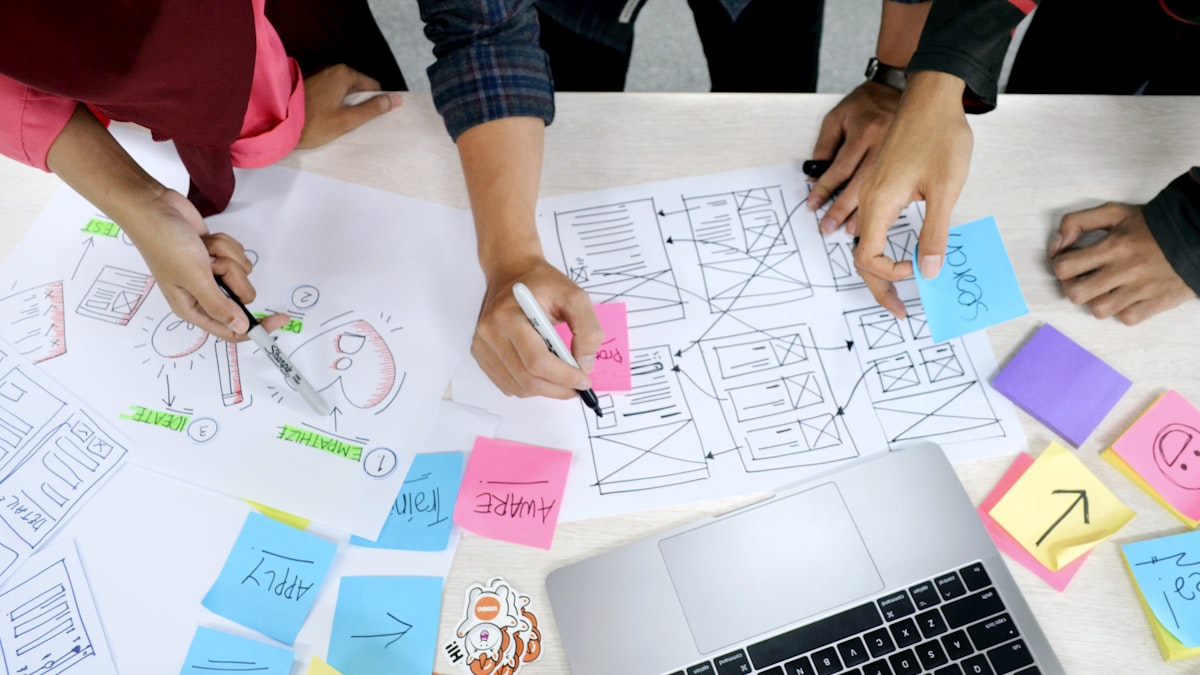
Shared template libraries. Every project type had a starter kit—wireframe templates for dashboards, mobile device control interfaces, onboarding flows for connected products, data visualization patterns for sensor data. When a designer started a new IoT dashboard project, they didn’t open a blank canvas. They pulled the dashboard starter kit, which contained layout patterns, navigation structures, and component shells that had been refined across every previous dashboard engagement.
Design tokens with IoT-specific semantics. We built a token system that went beyond colors and spacing. IoT interfaces have domain-specific patterns: status indicators for device connectivity, alert hierarchies for sensor thresholds, data-density modes for monitoring views versus consumer views. Our tokens encoded these semantic patterns so designers could apply consistent interaction models across projects without re-deriving the logic each time.
Usability guidelines as living documentation. After each project, the lead designer documented what worked and what didn’t in a shared guidelines repository. These weren’t generic heuristics—they were specific, battle-tested patterns: “For industrial IoT dashboards, users scan top-left to bottom-right for critical alerts; place the most urgent status indicators in the top-left quadrant.” “For consumer device setup flows, the average user abandons after the third screen if they haven’t seen the device respond—keep the pairing confirmation within two steps.” Over time, these guidelines became the most valuable asset in the system.
Internal workshops to cross-pollinate knowledge. Every two weeks, a designer presented their current project to the rest of the team: what patterns they used from the system, what new patterns they created, what gaps they found. These sessions served a dual purpose—they spread domain knowledge across the team, and they created a natural intake process for new system contributions. A pattern that worked on one project got proposed, reviewed, and added to the shared library.
The compounding effect: every project made the next one faster
The most powerful aspect of this model was the compounding return on design infrastructure investment. Each project rotation was an iteration cycle for the system itself.
In the early days, a new project meant two to three weeks of foundational design work before we could start producing deliverables that addressed the client’s specific problem. Wireframe templates were rough, component patterns were incomplete, and usability guidelines were thin.
After six months and a dozen project rotations, that foundational phase shrank to days. A designer starting a new smart-home interface project could pull the consumer IoT starter kit, apply the device-control component patterns, reference the usability guidelines for pairing flows and real-time status displays, and have a high-fidelity prototype framework ready within a week. The work that used to take weeks became the starting point, and the designer could spend the engagement time on what actually mattered: the client-specific research findings, the unique device constraints, the novel interaction patterns that the project demanded.
After a year, the system was mature enough that we could confidently scope engagements with tighter timelines. The reusable infrastructure wasn’t just saving internal time—it was a competitive advantage in proposals. We could show prospective clients the depth of our IoT design patterns and demonstrate that we weren’t starting from zero.
What makes consulting design systems different from product design systems
The lessons from building a design system in a consulting context translate to product companies, but the constraints are different in important ways:
Breadth over depth. A product design system goes deep on one visual language, one brand, one set of user needs. A consulting design system goes broad—it needs to flex across different brands, different user populations, and different device form factors. This forces a level of abstraction in the token and component architecture that product systems can avoid. Our components couldn’t assume a specific color palette or typography stack; they had to be skinnable by default, with the brand layer applied per engagement. This is the inverse of the deep, single-brand token architecture I later built in Peridio and Avocado OS: semantic tokens and AI-native design systems, where one product could go as deep as it wanted on a single visual language.
Documentation is the product. In a product company, the design system’s primary output is the components and tokens themselves—documentation supports adoption. In a consulting firm, the documentation is arguably the most valuable deliverable. When a designer rotates onto a new project, they need to absorb the system’s patterns quickly. The usability guidelines, the starter kit walkthroughs, the pattern rationale documents—these are what enable a designer to go from “new project” to “productive” in days instead of weeks.
Governance is lightweight and trust-based. We didn’t have the luxury of a heavy governance model with RACIs and approval committees. The team was small enough and project-rotated enough that governance was peer-based: propose a pattern in the biweekly workshop, get feedback from designers who’ve worked on similar projects, merge it into the library. The trust came from shared context—every designer had worked across multiple project types and understood the system’s constraints firsthand.
How do you build a design system when every project is different?
The key insight is that IoT projects are less different than they appear on the surface. The device categories vary—industrial sensors, consumer wearables, smart-home hubs, fleet tracking units—but the design patterns cluster into a manageable set:
- Device status and connectivity — every IoT interface needs to communicate whether a device is online, offline, updating, or in an error state
- Data visualization for sensor streams — real-time and historical data display for temperature, humidity, location, pressure, vibration, and dozens of other sensor types
- Device onboarding and pairing — the flow that gets a user from “I just unboxed this” to “the device is connected and working”
- Alert and notification hierarchies — which events are critical, which are informational, and how does the user triage them
- Multi-device management — the dashboard view when a user or operator manages a fleet of devices rather than a single one
By building the system around these pattern clusters rather than around specific projects, we created reusable infrastructure that was abstract enough to flex across engagements but specific enough to provide real acceleration. A designer starting a new fleet management project didn’t need a fleet management starter kit—they needed the multi-device management patterns, the data visualization patterns, and the alert hierarchy patterns, composed for a fleet context.
This cluster-based architecture connects directly to how design tokens work at the engineering level. For how token strategy and component abstraction translate to code, branching strategies for design-engineering collaboration covers the practices that keep design system assets synchronized between design tools and production codebases.
Key Takeaways
- Consulting firms create ideal conditions for design system compounding: frequent project rotations mean the system gets tested, refined, and expanded continuously across diverse use cases
- Building reusable design infrastructure around pattern clusters (device status, data visualization, onboarding, alerts, multi-device management) is more effective than building around project types or client categories
- The most valuable system asset is battle-tested usability guidelines—specific, documented patterns derived from real project outcomes that let designers apply proven solutions without re-deriving them
- Internal workshops where designers present project learnings create a natural intake process for system contributions and cross-pollinate domain knowledge across the team
- In a consulting context, documentation quality determines system velocity: when designers rotate onto new projects, the speed of their ramp-up depends entirely on how well the patterns, rationale, and starter kits are documented